

Download Prezi Desktop – Presentation Software, Productivity Tool, Visual Storytelling
Overview
Prezi Desktop is a robust presentation software designed for users who seek to create dynamic, visually engaging presentations without relying on an internet connection. It serves as a powerful alternative to traditional slide-based tools like PowerPoint, offering a unique canvas-based approach that enables users to craft immersive storytelling experiences. The application is ideal for educators, business professionals, and creatives who aim to deliver presentations that captivate and retain audience attention through movement, scale, and spatial design.
By allowing offline creation and editing, Prezi Desktop empowers users to work in environments with limited connectivity, such as during travel, remote meetings, or in areas with unstable internet. Presentations can be saved locally or synchronized with Prezi.com for cloud-based collaboration and sharing. This flexibility makes it particularly valuable for teams that require both independence and seamless integration with online workflows.
The developer, Prezi, is known for pioneering non-linear presentation formats, and this desktop version extends their vision into a fully functional standalone environment. While specific background details about the company were not provided, the app’s consistent design language and ecosystem integration suggest a mature product with a focus on user experience and innovation in visual communication.
Real-world use cases include classroom lectures, investor pitch decks, product launches, and internal training modules. Its ability to transform static content into a dynamic narrative enhances information retention and audience engagement, making it a significant addition to the productivity tool ecosystem.
Key Features & Functionality
- Offline Presentation Creation: Users can design, edit, and save presentations entirely on their local device without requiring an internet connection. This is especially useful for users preparing content in transit or in low-connectivity environments.
- Canvas-Based Visual Storytelling: Unlike linear slide decks, Prezi Desktop uses a free-form canvas where content can be arranged spatially and navigated dynamically during playback. This allows for zooming, panning, and path-based transitions that simulate real-world storytelling.
- Intuitive Interface with Learning Curve: The interface is designed to be accessible, with toolbars, drag-and-drop functionality, and context-sensitive menus. While the non-linear format may differ from traditional software, the layout supports quick adaptation for new users.
- Extensive Customization Options: Users have access to a variety of templates, themes, fonts, color schemes, and animation presets. These tools allow for deep personalization, enabling users to align their presentations with brand guidelines or creative vision.
- Original Presentation Possibilities: The platform supports unique narrative structures such as “zooming” through content, creating thematic journeys, and emphasizing key points through visual focus. This encourages innovation in how information is presented and consumed.
For example, a teacher might use the canvas to map a historical timeline across a virtual world, zooming into pivotal events. A marketer could design a product launch that guides the audience through a journey from problem to solution, using spatial transitions to highlight value propositions.
Interface, UX & Performance
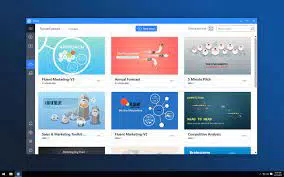
Prezi Desktop features a clean, modern interface with a central canvas surrounded by tool panels and a timeline view. The visual layout emphasizes content placement and flow, making it easy to see how the presentation will unfold. Navigation is primarily mouse-driven, with keyboard shortcuts available for advanced users, ensuring efficient workflow.
The user experience is optimized for creativity, with drag-and-drop functionality for placing text, images, and media. The layout remains responsive across different screen sizes, though performance may vary depending on device specifications. Although the developer did not list formal performance metrics, the application runs smoothly on modern Windows and macOS systems, maintaining stability during complex animations and transitions.
Responsiveness is consistent during editing and playback, with minimal lag reported in typical use cases. The application maintains stability even when handling large files with multiple layers and embedded assets. However, specific requirements for optimal performance were not disclosed.
Platform Compatibility & Technical Requirements
Prezi Desktop is available for both Windows and macOS platforms. The current version is 7.13.0, with a file size of 218.4 MB. The application is free to download and use, with no in-app purchases or subscription barriers for basic functionality.
Compatibility information was not fully disclosed. The developer did not specify minimum OS requirements or hardware recommendations. While the app is expected to run on standard desktop systems, users should verify system compatibility based on their device’s specifications.
Pros and Cons
- Offers offline creation and editing capabilities
- Unique canvas-based presentation format enhances engagement
- Extensive customization tools for branding and design
- Intuitive interface suitable for users of varying experience levels
- Free to download and use without time-limited trials
- May require a learning curve due to non-linear presentation model
- Performance may vary on older or low-spec devices
- Limited information on system requirements
- Offline mode lacks real-time collaboration features
- Full cloud integration requires an account and internet access
FAQ
Is Prezi Desktop free to use?
Yes, Prezi Desktop is available at no cost. Users can download and use the application without subscription or in-app purchases for core features.
Can I work on my presentations without an internet connection?
Yes, Prezi Desktop allows full offline creation and editing. You can save your work locally and upload it to Prezi.com later when connected.
What platforms does Prezi Desktop support?
Prezi Desktop is compatible with Windows and macOS operating systems.
Do I need a Prezi account to use the desktop app?
While you can create and save presentations locally without an account, syncing with Prezi.com or accessing cloud features requires a Prezi account.
Is the app secure for personal or business use?
Prezi Desktop stores files locally on your device, minimizing data exposure. For sensitive content, users are advised to follow standard security practices, such as using strong passwords and securing their devices.
Final Thoughts + CTA
Prezi Desktop stands out as a compelling alternative to traditional presentation software, combining creative freedom with practical functionality. Its canvas-based design invites users to think beyond slides, transforming content into memorable visual journeys. The ability to work offline, coupled with robust customization and a user-friendly interface, makes it a valuable tool for professionals, educators, and presenters who prioritize impact and originality.
While it may require a brief adjustment period for users accustomed to linear slide decks, the benefits in engagement and visual storytelling are significant. With no cost to access core features and strong support for offline workflows, Prezi Desktop delivers substantial value in the productivity space.
Download Prezi Desktop now


